




CHROMESeven tools in one toolbar

Copy any element on the web into agent.

One toolbar on top of every page: code, colours, fonts and images from any site you like, in a click or a keystroke. No agent required.

Every feature free for 3 days · no card · then once

Copies straight into the stack you already use

  • React
  • Tailwind
  • Vue
  • Svelte
  • Figma
  • HTML
the toolbar

Seven tools. Here’s each one at work.

Click the pill on any page to open the toolbar. Each tool opens its own panel, in an isolated shadow DOM that never touches the site you’re on.

01 · extractAltC

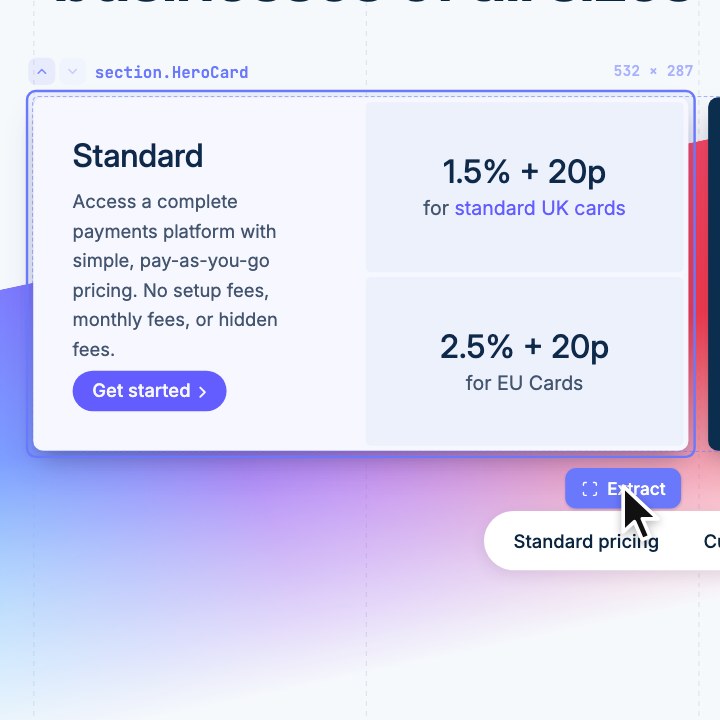
Any element. As your code.

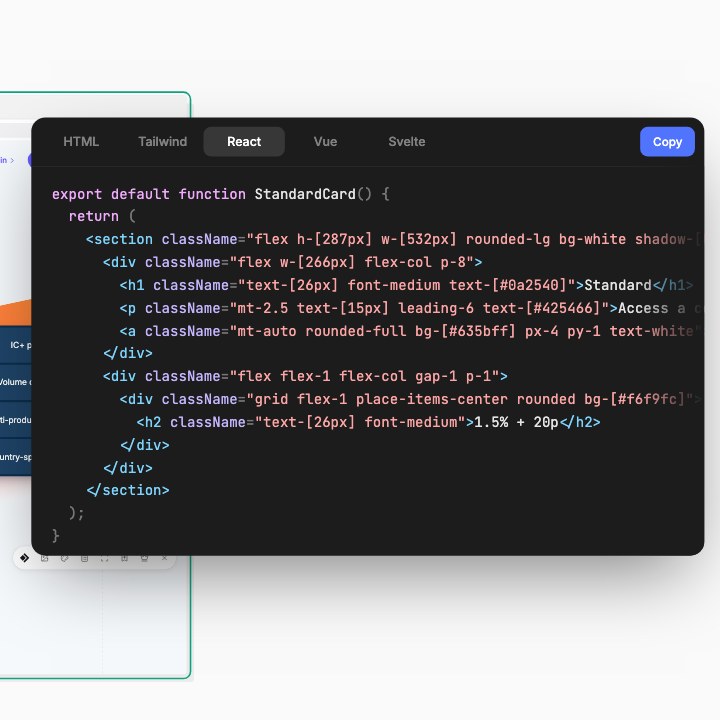
The core tool. Point at anything on a page and it comes out as code that renders like the original, hover states, breakpoints and fonts included.

  1. 1Hover to find the element
  2. 2↑ ↓ to go from a button to its whole card
  3. 3Click: the code is on your clipboard
ReactVueSvelteHTMLTailwind v3 & v4Inline CSSshadcn/uiClone · Clean · Wireframe
02 · clipboard

Every capture, kept and checked.

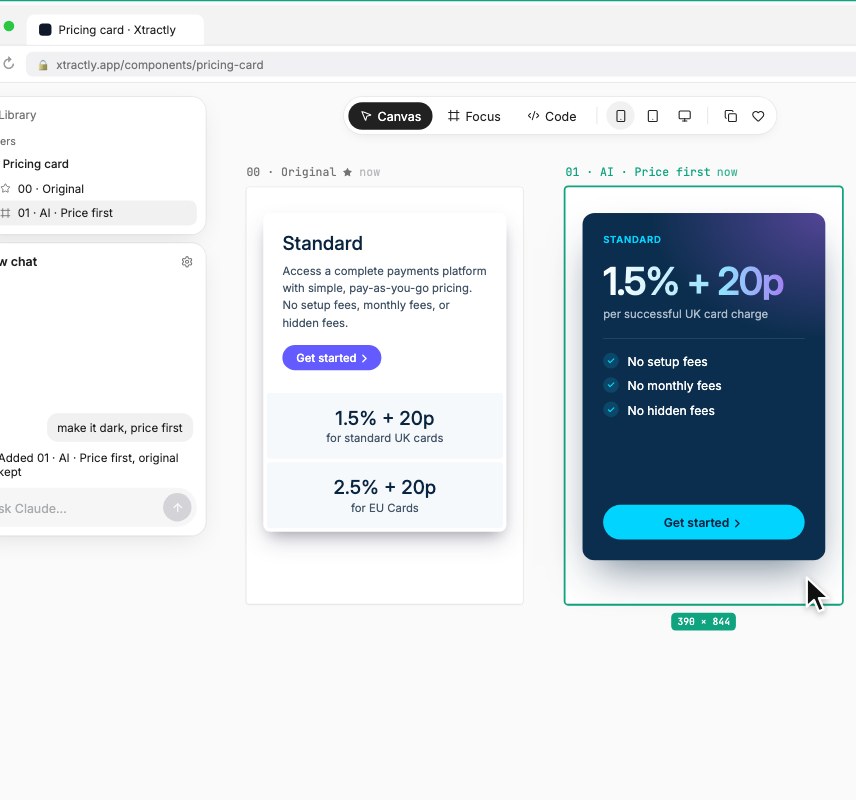
Each capture lands in the Clipboard panel with a preview. Copy it again in another shape, send it somewhere else, or check how faithful it is.

  1. 1The panel opens after every capture
  2. 2Pick one to see its preview and details
  3. 3Run Match to score it against the live page
Copy codeCopy imageCopy for Figma (layers)Save to LibraryOpen in editorMatch score
03 · design systemAltF

The page’s palette, ranked by use.

Every colour on the page, weighted by how much of it they cover, with a guess at each one's role: primary, background, surface, accent.

  1. 1Open Design System and pick Page or Selection
  2. 2Click a swatch for its values and nearest Tailwind token
  3. 3Export the set, or save it as a theme
HEX · RGB · HSLTailwind classesCSS variablesTailwind configSave as theme
04 · fonts

Every typeface, as tokens.

The site's type as a scale: each distinct text style, labelled Heading 1, Body, Caption and the rest, rendered in its real family, weight and size.

  1. 1Open Fonts for the whole scale
  2. 2Pick an element, or right-click any text, for its exact values
  3. 3Click text to copy all of its CSS
Family · weight · sizeLine-height · trackingLive specimenCSSTailwind
05 · eyedropperAltP

One pixel, exactly.

Reads the colour actually painted on screen, so gradients, images and blended layers give you the real value, not a guess from the CSS.

  1. 1Start the eyedropper
  2. 2Zoom in with the loupe over any pixel
  3. 3Click to copy it
HEXRGBHSLTailwind
06 · assetsAltD

Every image the page paints. Even the hidden ones.

Background images and masked SVG icons buried in CSS, inline SVGs, videos, Lottie files and linked PDFs, the things DevTools makes you dig for.

  1. 1Open Assets and filter by type
  2. 2Copy any one in the format you need
  3. 3Download it, or export them all
PNGSVGReact · Vue · Svelte (SVG)Base64CSS / Tailwind bgVideo → GIFExport all
07 · capture

Any region, as a screenshot.

Drag over part of the page for a crisp screenshot, framed the same way Extract frames an element. It goes into the same clipboard history.

  1. 1Click Capture in the toolbar
  2. 2Drag over the region you want
  3. 3Copy the image or download it
PNGCopy imageDownload
Read the extension docs
output

Every output shape. Set once.

Pick your framework and styling once, then how faithful the copy is. Not sure? Start with Clone, and switch when you want less code or none of the brand.

settings · export · react + tailwind
Clonedefault
Every captured property on every element, at its measured value. The closest copy and the most code. Use it to reproduce something exactly.
Clean
Renders the same with the noise taken out: inherited styles only where they change, defaults skipped. Nothing is rounded. Use it for code you’ll keep and edit.
Wireframe
Layout, spacing and text only. Colours turn grey at the same lightness, images become boxes, values snap to a 4px grid. Use it to re-skin with your own tokens.
also in the pill

The small things that add up.

Four more pieces of the toolbar that don't need a section of their own.

BookmarksLifetime
Save the page you're on and turn any saved page into a project in one click.
Send to your agentopt-in
Your latest captures, fetchable by your coding agent for 24 hours. Off until you turn it on.
Right-click menu
Inspect fonts and colours, pick a colour, or download images and SVGs without opening the toolbar.
Settings
Light or dark, your marker colour, and the framework and styling every capture comes out in.
shortcuts

Keyboard first. Mouse optional.

Every tool has a shortcut, and the right-click menu has the font inspector, eyedropper and asset download. Change any of them at chrome://extensions/shortcuts.

Start or stop extractingAltC
Walk up and down the element tree↑↓
Design system (fonts & colours)AltF
Colour eyedropperAltP
Assets panelAltD
Leave any toolEsc
your agent

Capture here. Build there.

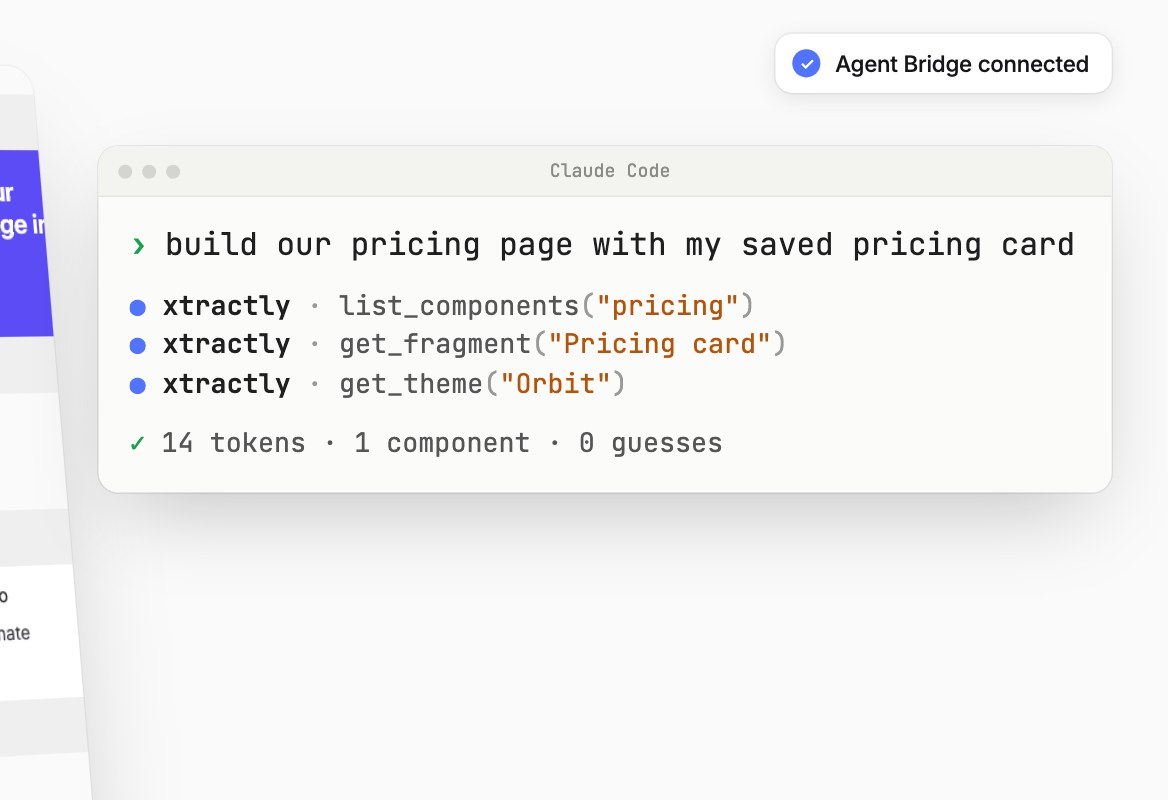
Captures go straight to Claude Code, Cursor or Codex over the Agent Bridge, Xtractly's MCP server. Your agent and model, your bill.

connect
$claude mcp add xtractly --transport http https://www.xtractly.app/api/mcp
› rebuild this pricing card with our tokens
xtractly · get_latest_capture
div.pricing-card · 312 × 420 · tailwind
xtractly · get_theme(“Harbor”)
✓ wrote components/pricing-card.tsx
Turn it on
Settings → Send captures to my agent, in the extension.
Connect once
One command adds Xtractly to your agent.
Ask for it
Capture, then ask your agent to use your latest capture.
How the Agent Bridge works

The web’s best ideas. Your product.

Save the components, colours and fonts you like from any site. Your coding agent builds with them, so it ships your style.

Add to Chrome

Every feature free for 3 days · no card · then once